The product
What it does
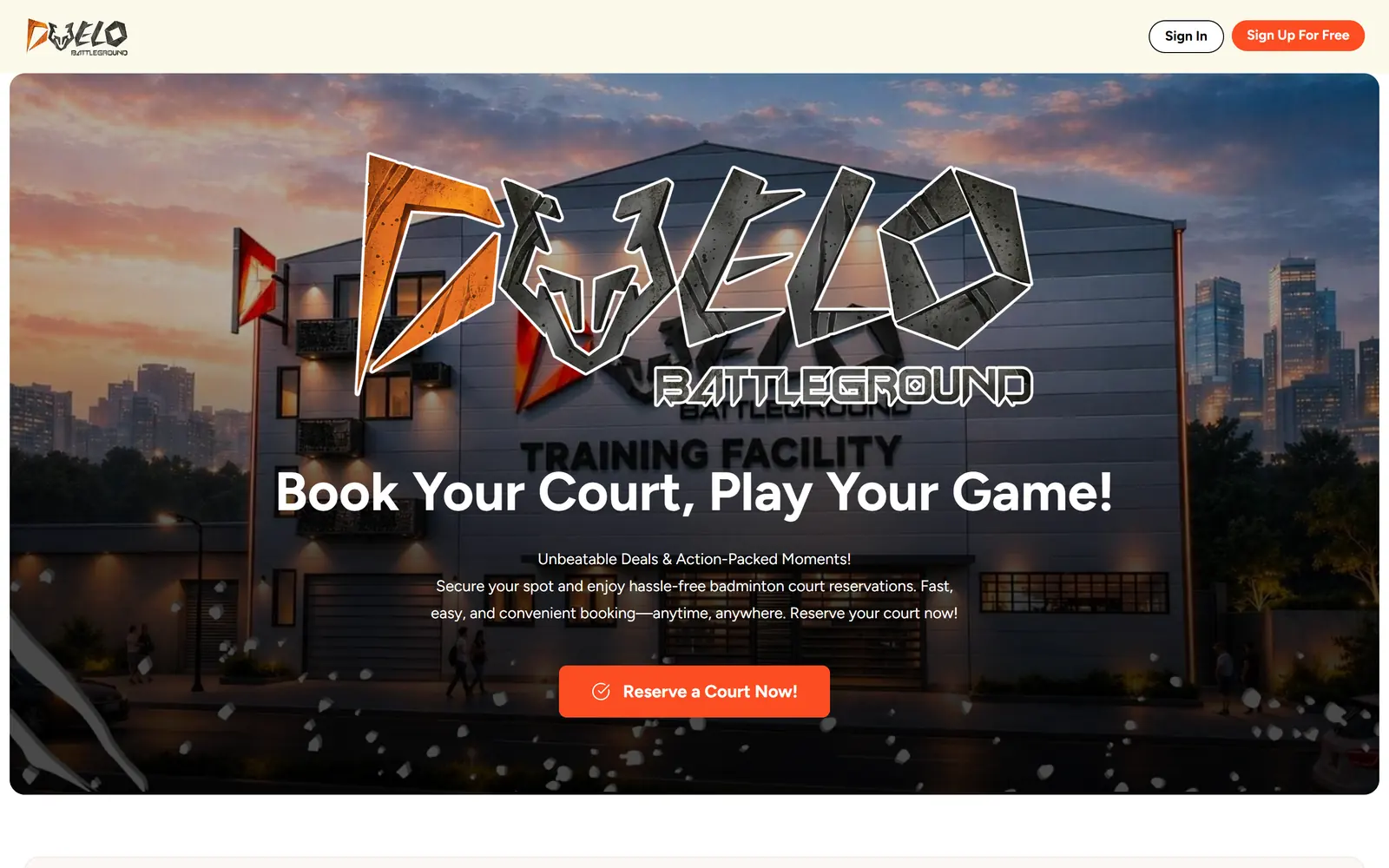
Duelo Battleground is a badminton training facility in Cebu City with five courts, named D, U, E, L, and O. Its website lets players reserve those courts online instead of calling the front desk.
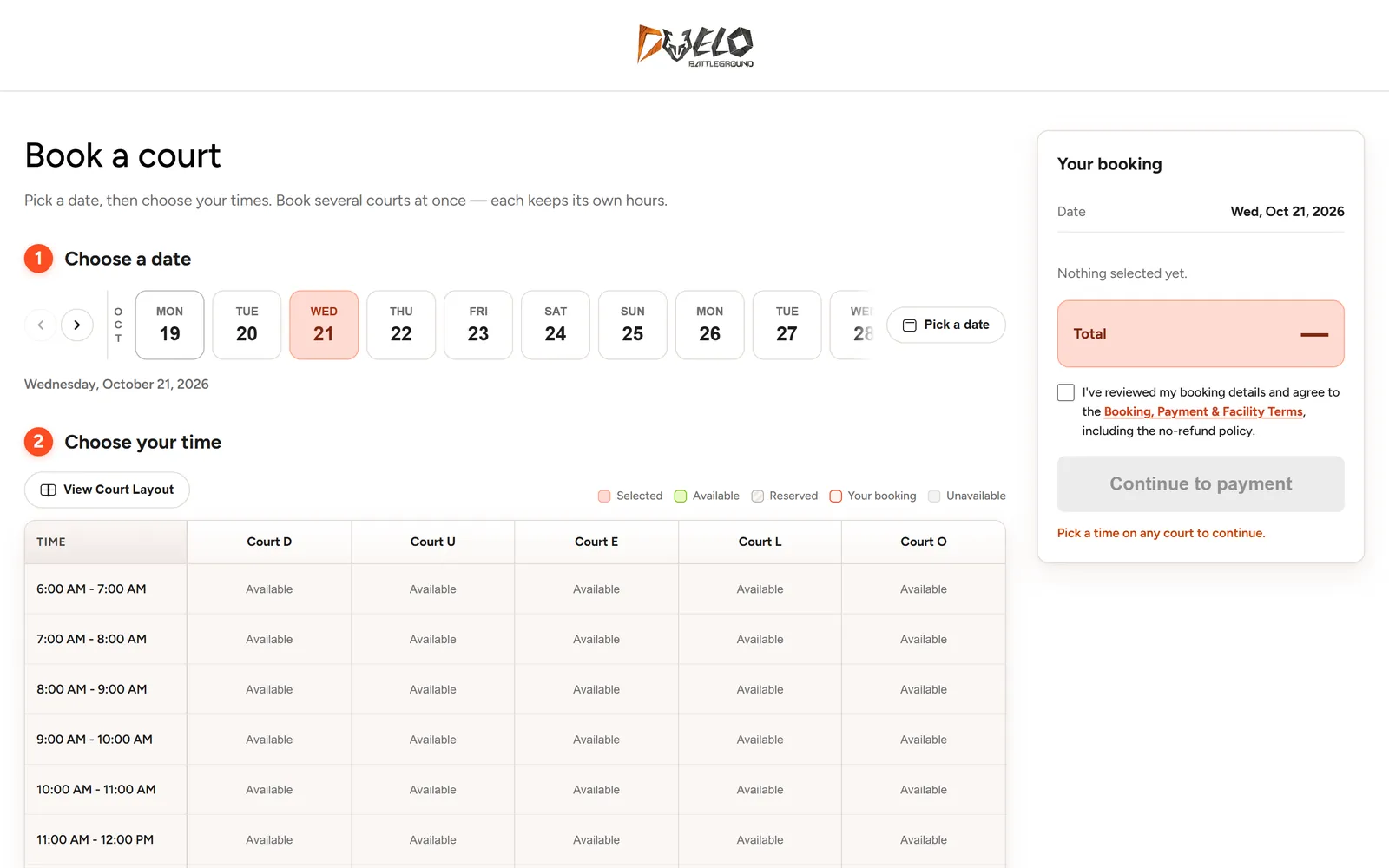
A booking is a short, guided flow: choose a date, choose hourly slots on one court or several, accept the booking terms, and pay. The QR pass arrives as soon as payment clears, and scanning it at the net starts live scoring.
My role
What I work on
I’m the front-end developer on Duelo Battleground. I build the Nuxt app that players use — the pages, the booking flow, and the screens around it — on top of the facility’s booking API.
- The booking page: date strip, court-by-hour grid, and booking summary
- Disabled states that say what’s still missing before payment
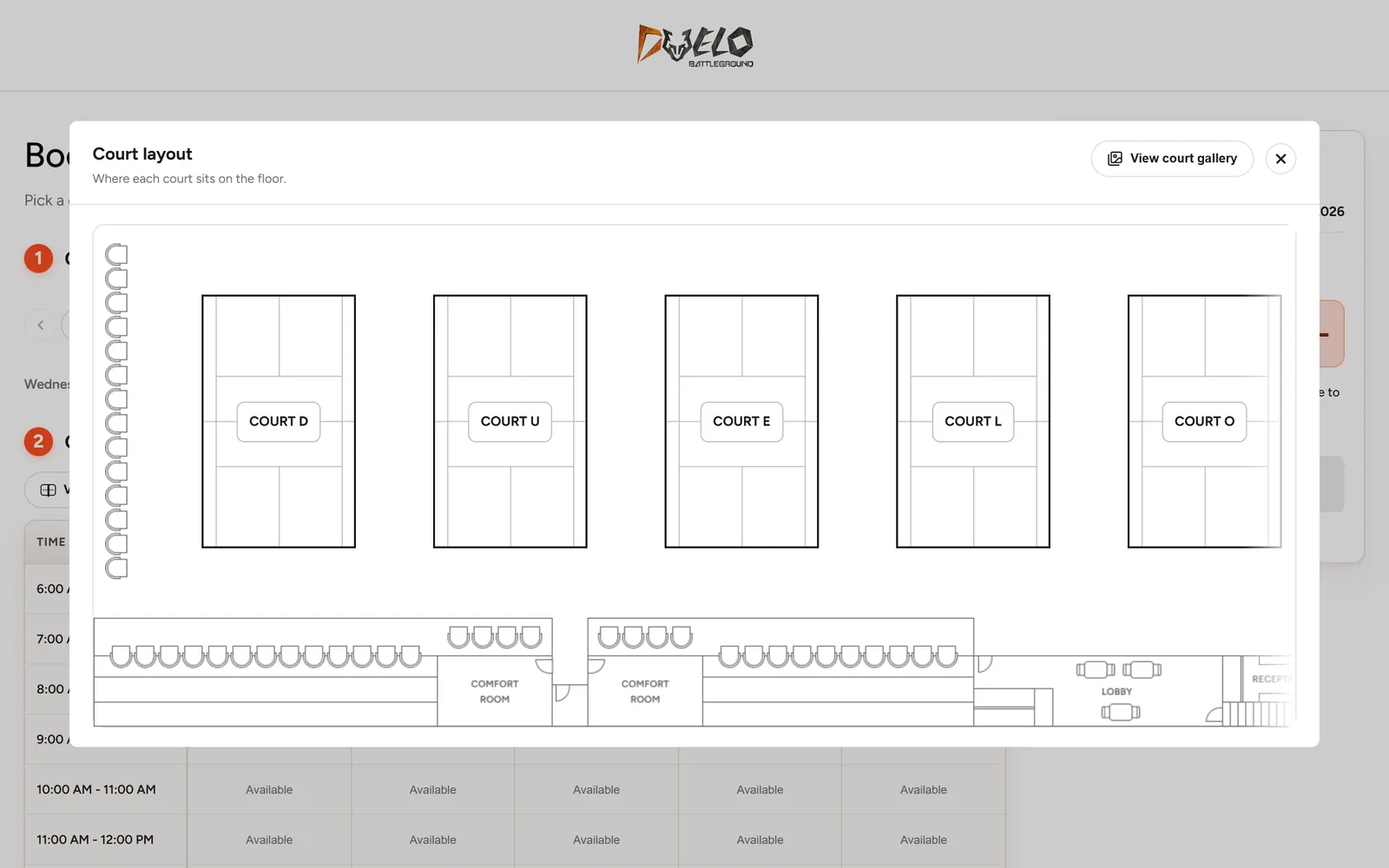
- A court layout map with a link to the court gallery
- Sign-in, sign-up, and trainer registration screens
- Responsive layouts, from phones to wide desktops
The booking flow
From picking a date to playing, in five steps.
The booking page carries most of the product, so every step before payment happens on one screen.
- Step 1
Choose a date
A scrolling strip shows the next three weeks; a calendar button reaches any other day.
- Step 2
Choose your times
An hourly grid lists every court from 6 AM to midnight. Book several courts at once — each keeps its own hours.
- Step 3
Review and agree
The summary shows the date and total, and payment stays locked until the player accepts the booking, payment, and facility terms.
- Step 4
Pay online
Players pay on the site to confirm the booking.
- Step 5
Scan in and play
The QR pass arrives the moment payment clears. Scanning it at the net starts live scoring.
Front-end details
The pieces that keep booking quick.
Most of the work is in small states and edge cases: what a slot looks like, what a disabled button says, where the total lives on a phone.
Date strip
A horizontal strip of days with arrow controls and a month marker, plus a calendar for dates further out.
Court-by-hour grid
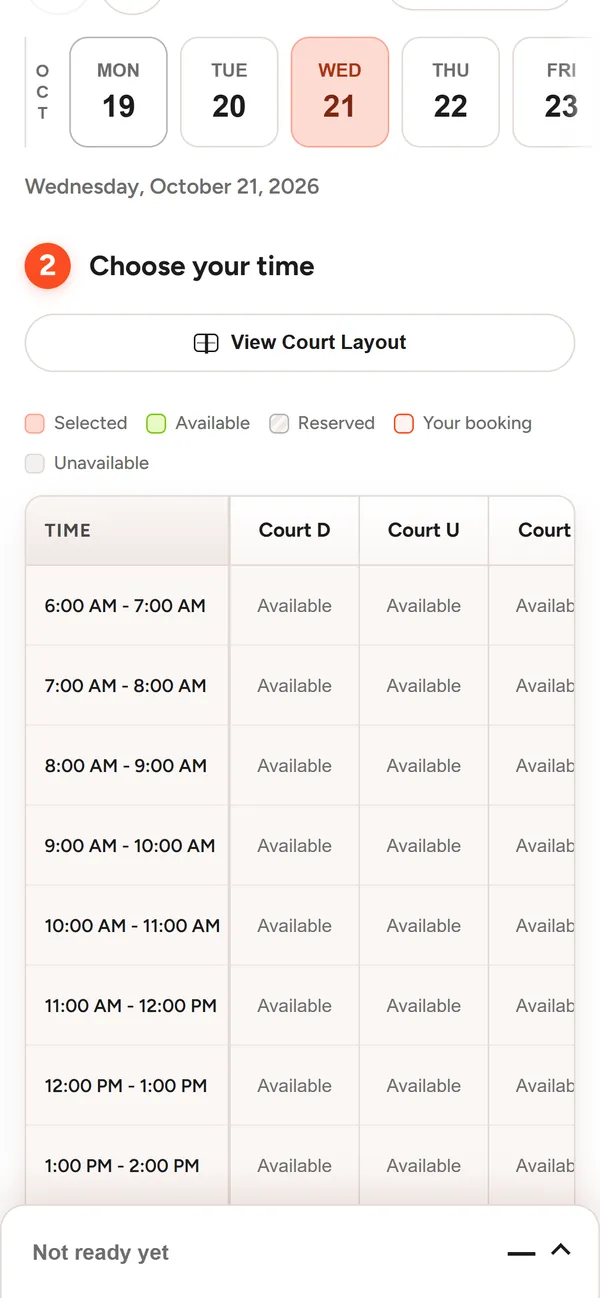
Five courts side by side and one row per hour from 6 AM to midnight. On phones the grid scrolls sideways.
Five slot states
Selected, available, reserved, your booking, and unavailable — each with its own swatch in the legend.
Guarded checkout
“Continue to payment” stays disabled until the booking is complete, and the button explains what’s still missing.
Mobile booking bar
On phones the summary folds into a bar at the bottom of the screen, so the total stays in reach while players pick times.
Court layout
A floor plan shows where each court sits, with a link through to the court gallery.
Screens
On a desktop and on a phone.

What’s next
Need a front end like this one?
I’m open to web developer roles and freelance work. Tell me about the project — I usually reply within a day.